
Download iSwipe – Multi‑Protocol Search & Download Tool
Overview
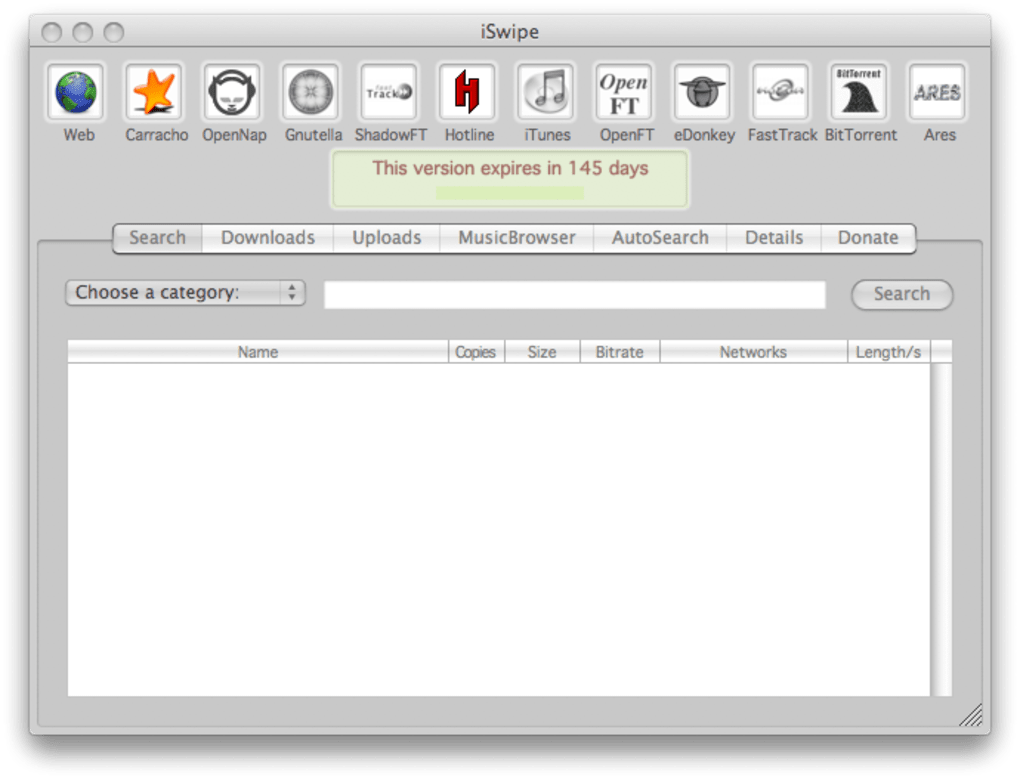
iSwipe presents itself as an all‑encompassing file search and download utility that aggregates twelve distinct peer‑to‑peer and web‑based protocols under a single, easy‑to‑use interface. Whether you’re hunting for the latest software release, an obscure indie track, or a classic movie, iSwipe claims access to more than 795 million files spread across services such as Carracho, OpenNap, Gnutella, iTunes, and BitTorrent. The tool also includes a web‑search capability that leverages a SeeqPod account for broader results.
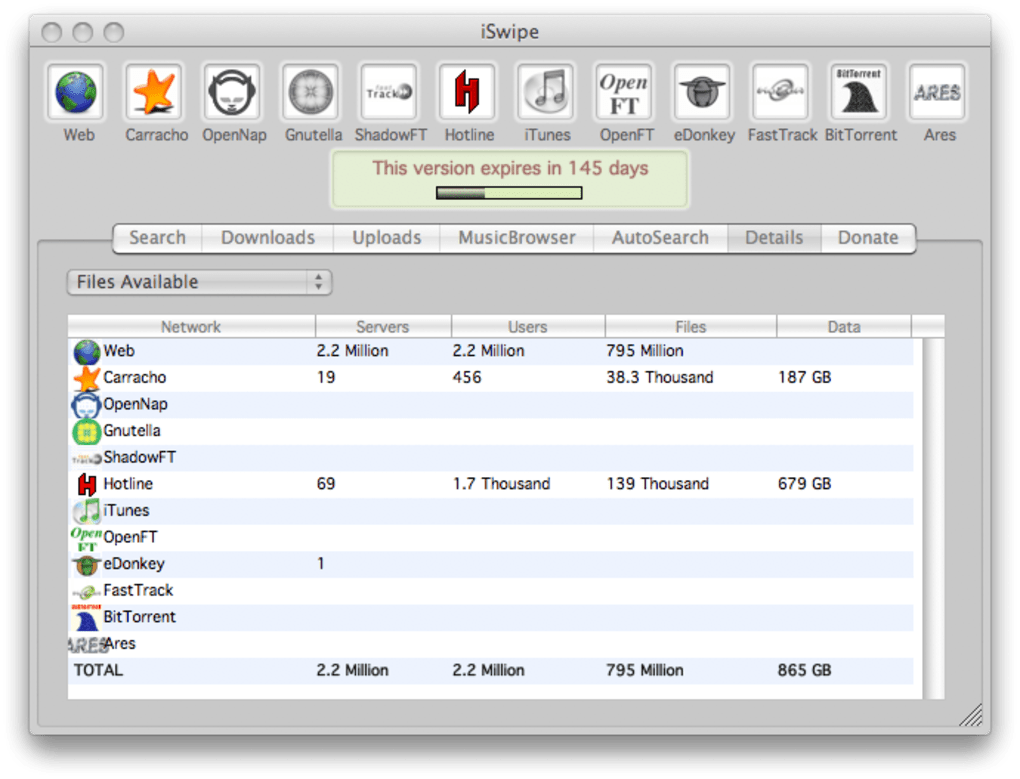
While the breadth of sources is impressive, iSwipe’s architecture is static: users cannot add new services, and several of the bundled protocols have lost relevance over time. The “Details” tab offers a granular view of each server’s user count, file inventory, and data volume, helping power users pick the most active source for a given query. Additional sections like MusicBrowser and AutoSearch promise specialized experiences, yet they lack clear documentation, leaving many to wonder how they differ from the core “Search” function.
In short, iSwipe is a convenient gateway for multi‑protocol searching, but its utility may be eclipsed by dedicated P2P clients that excel in a single network.
Key Features & Capabilities
- Search across 12 different protocols (Carracho, OpenNap, Gnutella, iTunes, BitTorrent, etc.).
- Access to an estimated 795 million files, ranging from software and games to music and movies.
- Integrated web search via SeeqPod (requires separate account).
- Server “Details” view that displays user count, file quantity, and data volume per source.
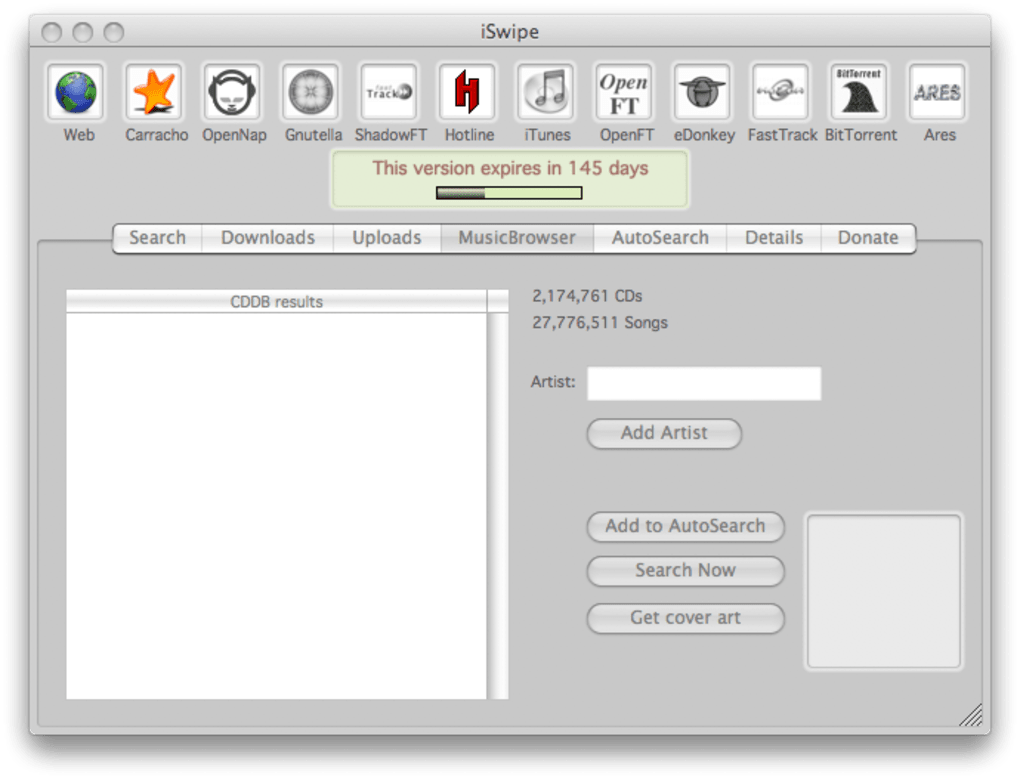
- MusicBrowser for quick music discovery and AutoSearch for automated query handling.
- One‑click download initiation with built‑in link verification.
- Lightweight UI that consolidates multiple search windows into a single pane.
- Regular maintenance updates that address protocol deprecations and security patches.
The feature set of iSwipe is built around the concept of “search once, download anywhere.” By unifying disparate P2P ecosystems, the software eliminates the need to install separate clients for each network. This can be a major time‑saver for users who frequently jump between music, video, and software sources. The server “Details” tab is particularly valuable for power users: it lets you gauge the health of a swarm before committing bandwidth, thereby reducing dead‑ends and failed transfers.
The MusicBrowser offers genre‑based browsing, while AutoSearch attempts to predict what you might be looking for based on recent queries—a modest foray into intelligent assistance. However, the lack of documentation around these auxiliary tools means many users never unlock their full potential. The integration with SeeqPod adds a conventional web search layer, expanding the reach beyond pure P2P content, but it also introduces a dependency on an external account, which may deter privacy‑focused individuals.
Installation, Usage & Compatibility
Installing iSwipe is straightforward. After downloading the installer from the official website, run the .exe (Windows) or .dmg (macOS) file and follow the on‑screen prompts. The installer checks for the presence of required runtime libraries (Microsoft Visual C++ Redistributable for Windows, or the appropriate .NET framework) and offers to install them automatically if missing.
Once the installation completes, launch iSwipe from the desktop shortcut or start menu. The first launch triggers a brief configuration wizard where you can enable or disable individual protocols, link your SeeqPod account, and set default download folders. This granular control is essential because some protocols may be restricted by local network policies or ISP throttling.
iSwipe officially supports Windows 10/11 (64‑bit) and macOS 10.15 or newer. A limited Linux build exists, but it lacks the full feature set and is not recommended for production use. The Windows version runs smoothly on both Intel and AMD processors, with a modest memory footprint of roughly 120 MB when idle. macOS users will notice a native‑look interface that integrates with Finder for drag‑and‑drop downloads.
Usage is intuitive: type your query into the central search bar, select the desired protocol(s) from the dropdown, and press “Search.” Results populate in a sortable table showing file name, size, source server, and user count. Clicking a result opens a preview pane where you can view additional metadata, such as file hash, seed/peer ratio, and upload speed. To start a download, simply click the “Download” button; iSwipe will launch the appropriate backend client (e.g., a built‑in BitTorrent engine) and begin fetching the file to your predefined folder. Advanced users can access the “Details” tab to compare server statistics, or enable “AutoSearch” to let iSwipe periodically poll for newly released content matching saved keywords. Overall, the installation and day‑to‑day workflow are designed for minimal friction, making iSwipe a solid choice for users who want a single gateway to multiple file‑sharing ecosystems.
Pros & Cons
Pros
- Unified search across twelve protocols saves time and reduces software clutter.
- Massive file index (≈795 million) increases the likelihood of finding obscure content.
- Server “Details” view provides transparent insight into swarm health.
- Lightweight UI and modest system requirements work well on older hardware.
- Regular maintenance updates keep protocols functional and address security concerns.
Cons
- Inability to add custom services limits future expandability.
- Several bundled protocols are outdated, leading to dead‑ends or slow transfers.
- MusicBrowser and AutoSearch lack clear documentation, reducing usability.
- Web search requires a separate SeeqPod account, adding an extra step.
- Linux support is experimental and missing many features found on Windows/macOS.
Frequently Asked Questions
Can I add my own P2P network to iSwipe?
No. iSwipe’s protocol list is hard‑coded, and there is currently no option to import custom services or plug‑ins.
Is iSwipe safe to use for downloading copyrighted material?
iSwipe is a neutral search tool; it does not host any files. Legal responsibility lies with the user and the source network. Always respect local copyright laws.
Do I need a SeeqPod account for web searches?
Yes. The web‑search feature routes queries through SeeqPod, so an active account is required to retrieve results.
How often does iSwipe receive updates?
The development team releases a maintenance update roughly every 2–3 months, focusing on protocol deprecation fixes and security patches.
Can iSwipe run on a Windows Server environment?
Yes, iSwipe is compatible with Windows Server 2016 and later, provided the required .NET framework is installed.
Conclusion & Call to Action
iSwipe fills a niche for users who prefer a single entry point to a sprawling landscape of file‑sharing protocols. Its strengths lie in the sheer volume of searchable content, the transparency offered by server statistics, and a clean, low‑resource UI that runs well on both Windows and macOS. However, the inability to extend the protocol list, the presence of outdated services, and the vague documentation around auxiliary tools like MusicBrowser limit its appeal for power users who demand precision and flexibility. If you often juggle multiple P2P clients, iSwipe can act as a convenient front‑end to streamline discovery before you switch to a dedicated downloader. For those who already have a preferred BitTorrent or Gnutella client, the added layer may feel redundant.
Ultimately, iSwipe is a solid, free (with optional paid features) solution for casual seekers and for anyone who values a unified search experience. To try it out, download iSwipe now and explore the 795 million files waiting at your fingertips. Remember to keep the application updated to benefit from the latest protocol patches and security enhancements.







